I finally got my hands on the new Google Home Speaker 2026, and I’ve had it running in my kitchen for exactly one day. That’s not a lot of time, I know. But 24 hours is actually enough to notice the stuff that matters most: setup, sound, and privacy.
If you’re on the fence about buying one, I get it. A $99.99 smart speaker is not pocket change. So I want to walk you through what surprised me, what I liked, and what made me pause. No fluff, just my honest first impressions.
What Is the Google Home Speaker (2026)?
Quick refresher before we dive in. This is Google’s first all-new smart speaker in years, and it’s built from the ground up around Gemini instead of the old Google Assistant. It’s the first Google speaker to include a proper NPU for AI processing, which is a real upgrade from the older chips in past Nest devices.
It comes in four colors — Berry, Hazel, Jade, and Porcelain — and it retails for $99, though only two colors are sold globally while U.S. buyers get all four options. Mine showed up in Jade, and honestly, it looks great on a shelf.
Thing #1: Setup Was Almost Too Easy
I braced myself for a frustrating setup. Smart home gadgets usually make you jump through hoops. This one didn’t.
I opened the Google Home app, and it found the speaker in seconds. No manual pairing codes, no weird Wi-Fi dance.
My Quick Setup Steps
- Plug in the speaker and wait for the light ring to turn on.
- Open the Google Home app on your phone.
- Tap “Add device” and let it auto-detect the speaker.
- Connect it to your Wi-Fi network.
- Sign in with your Google account and confirm your room name.
That’s it. Five steps and I was already asking it to play music.
One small annoyance, though: the power cable is hardwired into the unit. You can’t just swap it for a spare charger if it frays. That feels like a step backward for something marketed as eco-conscious.
Thing #2: The Sound Quality Actually Surprised Me
I wasn’t expecting much from a $99 speaker. My old Nest Mini sounded thin and tinny, so I figured this one would be similar.
I was wrong. This speaker fills a room. It uses 360-degree sound design, so audio comes at you evenly instead of blasting from just one direction.
Here’s a quick personal moment for you: I put on a playlist while making dinner, and my partner walked in and asked if I’d bought a new bigger speaker. That’s how noticeable the jump in bass and clarity was.
How It Stacks Up
- Bass: Deeper than I expected for its size.
- Vocals: Clear, even at higher volumes.
- Room coverage: Sounds full whether you’re in the kitchen or the next room.
- Compared to Nest Mini: Not even close, this one wins easily.
If you already own an older Nest speaker, you can actually pair devices for a fuller listening setup, which is a nice touch if you’re building out a whole-home audio system.
Thing #3: Privacy Settings Need a Second Look
This is the part most reviews skip, and it’s the one I care about most.
Gemini for Home is a lot more conversational than the old Assistant. It listens for follow-up questions without needing “Hey Google” every single time. That’s convenient, but it also means the mic is doing more listening in the background than before.
I’m not saying it’s spying on you. I’m saying the default settings lean toward convenience over privacy, and most people never open the settings menu to check.
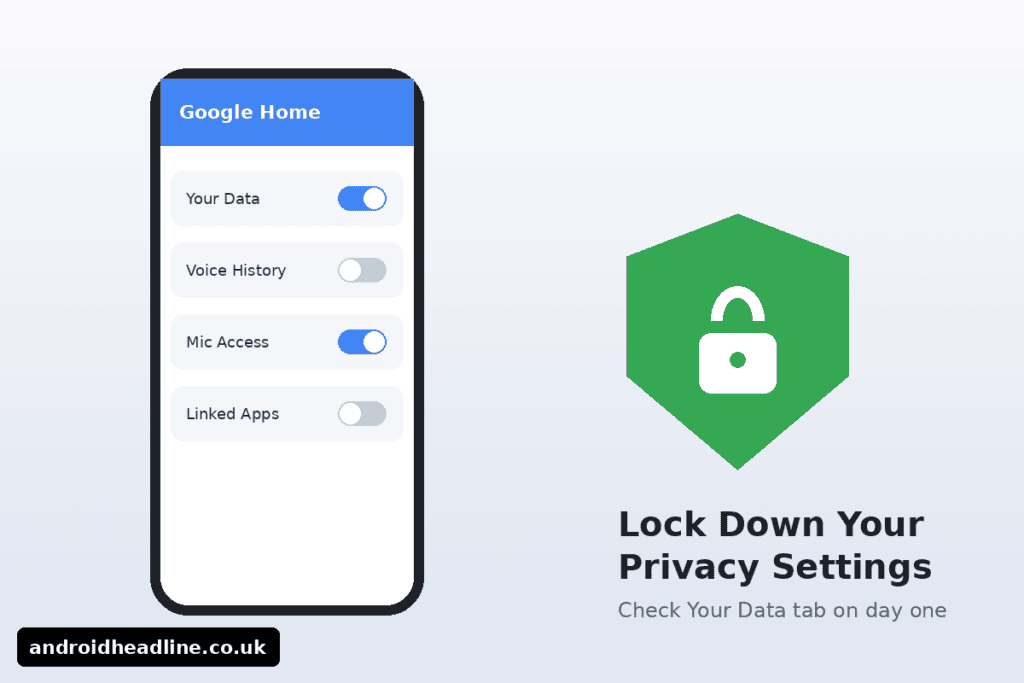
Steps to Lock Down Your Privacy
- Open the Google Home app and tap your speaker.
- Go to Settings > Assistant > Your Data.
- Review voice history and turn off storage if you’re not comfortable with it.
- Use the physical mute switch on the speaker when you’re not using it.
- Check which third-party apps have access to your speaker’s data.
It only takes a few minutes, and it’s worth doing on day one, not month six.
Is the Google Home Speaker 2026 Worth It?
After 24 hours, here’s my honest take. The setup is genuinely simple, the sound quality beats its price tag, and the privacy controls are there, but you have to go find them yourself.
If you want the best experience with all the AI features, keep in mind some of the smarter tools require a Google Home Premium subscription, so factor that into your budget before you commit.
For a basic smart speaker that sounds great and sets up in minutes, I think it’s a solid buy. I’ll be living with it for a few more weeks before I give a full verdict, but the first day left a strong impression.
Final Thoughts
To sum it up: setup took minutes, the sound quality punches above its price, and the privacy settings are worth checking on day one. If you’re building out a smart home, this speaker is a strong starting point.
Have you tried the new Google Home Speaker yet? Drop a comment below and let me know what you think, and don’t forget to subscribe so you don’t miss my full 30-day review.