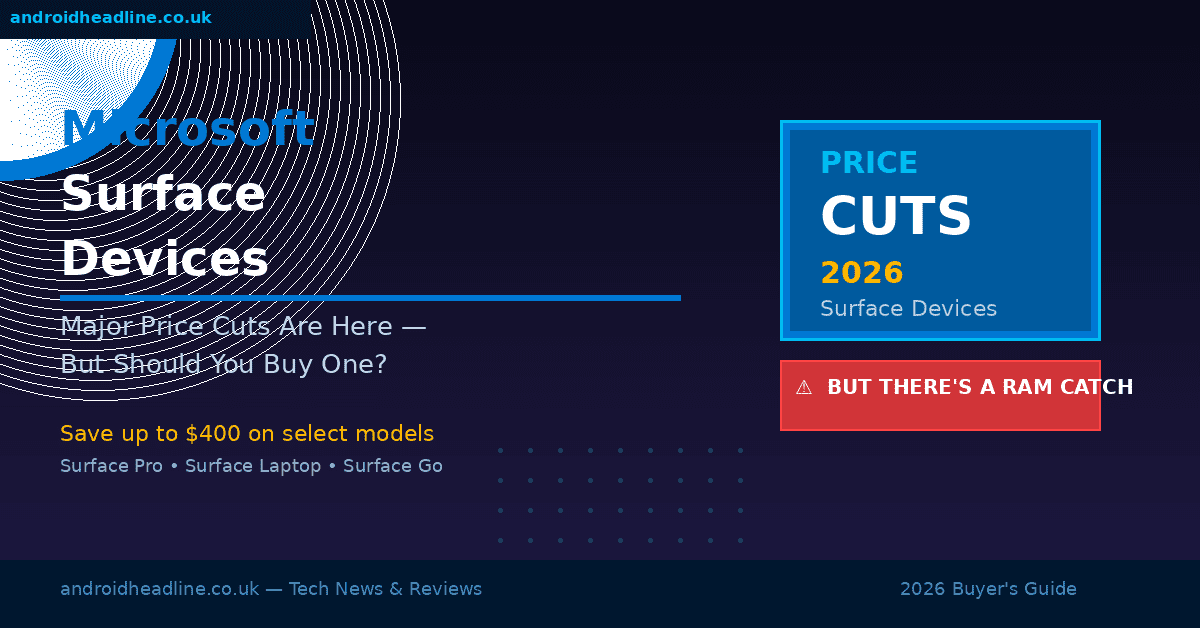
If you’ve been waiting for the right moment to pick up a Microsoft Surface device, 2026 might honestly be it. Microsoft has quietly rolled out some pretty significant price cuts across its Surface lineup — and I’m not just talking about a $20 knock-off here. We’re seeing real savings of up to $400 on some models.
But here’s the thing — and I genuinely wish someone had told me this before I started drooling over the deals — there’s a RAM situation you absolutely need to understand before you swipe your card. Because getting a discounted Surface with the wrong memory config could mean you’re stuck with a device that struggles to keep up in just a year or two.
Let me walk you through everything so you can actually make a smart buy.
What’s Actually Getting Cheaper?
The price cuts are hitting the Surface Pro 11, Surface Laptop 7, and even the Surface Go 4. Microsoft hasn’t officially announced a big “sale event,” but retailers like Best Buy, Amazon, and Microsoft’s own store have been steadily dropping prices since Q1 2026.
Here’s a rough breakdown of what I’ve been seeing:
- Surface Pro 11 (Core Ultra 5) — down from $1,299 to around $999
- Surface Laptop 7 (13.8-inch) — now starting closer to $849, down from $1,099
- Surface Go 4 — available under $500 in several configurations
- Surface Pro 10 for Business — seeing clearance-level pricing at some outlets
These aren’t pennies. If you’ve had your eye on the Surface ecosystem for a while, these cuts genuinely change the value proposition. I remember when the Surface Laptop 5 launched and felt completely out of reach for me — these new prices are a different story.
For a full breakdown of current Surface models, check out Microsoft’s official Surface lineup page.
So, What’s the RAM Catch?
Here’s where I have to pump the brakes for a second — because the deals aren’t all created equal.
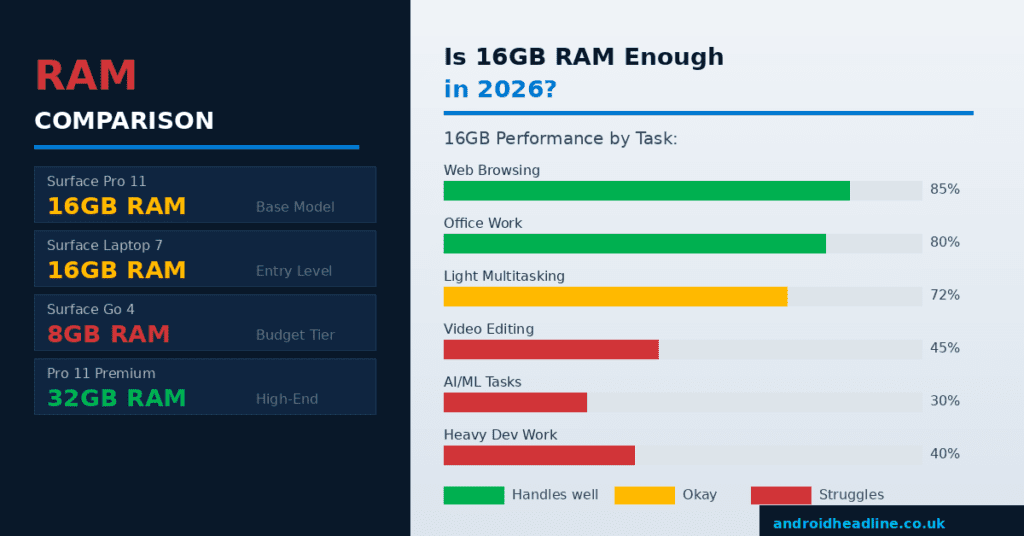
The base configurations that are getting the biggest discounts? A lot of them are shipping with 16GB of RAM. And before you say “that’s fine” — let me explain why in 2026, it’s a conversation worth having.
Why 16GB Is Starting to Feel Tight
We’re living in a new era of computing. Microsoft’s own Copilot AI features, which are baked right into Windows 11 and Surface devices, eat through memory fast when they’re running in the background. Add a browser with 10 tabs, a Slack call, and Spotify — and you’ll start to notice things slowing down more than you’d expect on a “premium” device.
I personally hit this wall with a 16GB machine last year. Not a Surface, but a similar ultrabook. It wasn’t broken, it just started to feel sluggish faster than I expected — especially once I started leaning into AI productivity tools more.
Tech reviewers over at The Verge have noted that 16GB is “functional but limiting” for power users in 2026, particularly as more software gets optimized to leverage larger memory pools.
The Surface RAM Problem Is Structural — Not Just Spec-Sheet Math
Here’s the part that stings: Surface devices use soldered RAM. That means whatever you buy is what you’re stuck with. There’s no upgrading later. So when you see that discounted Surface Laptop 7 at $849 with 16GB RAM, you need to ask: will this still work for me in 3–4 years?
If you’re primarily doing email, documents, and light browsing — honestly, 16GB will probably be fine. But if you’re editing video, running local AI tools, or multitasking heavily, you’ll want to push your budget toward a 32GB configuration — even if it means spending $200–300 more up front.
How to Figure Out Which Surface to Actually Buy
Don’t let the price cut pressure you into a decision you’ll regret. Here’s how I’d approach it:
Step 1: Be Honest About How You Use Your Computer
Ask yourself what you actually do on a laptop day-to-day:
- Mostly web, email, Office apps → 16GB is probably fine
- Creative work, video calls + content creation → 32GB is worth it
- Developer, video editor, AI tools user → 32GB minimum, consider 64GB if available
Step 2: Check the RAM Before You Filter by Price
When you’re browsing deals, filter by RAM first, not price. It sounds obvious, but it’s easy to get excited by a low number and miss the spec. Sort your shortlist by memory configuration, then look at pricing within that filtered view.
Step 3: Consider the Refurbished Microsoft Store
Microsoft’s certified refurbished store often has higher-spec Surface devices at prices that rival the discounted base models. I picked up a refurbished Surface Pro 9 a while back and couldn’t tell the difference from new. It came with 32GB RAM at a price that would have gotten me 16GB new.
Step 4: Watch the Retailer Cycle
Prices tend to dip further around back-to-school season (July–August) and Black Friday. If you can wait, it’s worth setting a price alert on tools like CamelCamelCamel or Google Shopping to track drops on the exact model you want.
The Models I’d Actually Recommend Right Now
If you’re ready to buy, here’s my honest shortlist based on the current deals:
Best Overall Pick: Surface Laptop 7, 32GB / 512GB — still premium pricing but the best balance of performance and longevity. Look for bundles from Microsoft’s education store if you qualify.
Best Budget Option: Surface Go 4 with 8GB — it’s not powerful, but it’s a legitimately good lightweight tablet/laptop for students and light users. Just know its ceiling going in.
Best for Power Users: Surface Pro 11 with Core Ultra 7 and 32GB RAM — this is the one I’d get if I were buying today. The discounts on last year’s config make it compelling.
Pair any of these with your setup choices — here are some related reads that might help:
- Best Windows Laptops for Students in 2026
- Microsoft Copilot AI: Is It Actually Useful?
- Surface vs MacBook in 2026 — Which Should You Buy?
My Take: Great Deals, But Go in With Eyes Open
Honestly? I’m excited about these price cuts. Microsoft Surface hardware has always punched above its weight in terms of build quality, display, and that kickstand design that I still think is brilliant. Getting that quality at these price points is a genuinely good thing for consumers.
But the RAM situation is real. It’s the kind of thing that won’t bite you immediately — it’ll bite you in 18 months when you’re wondering why your $1,000 device feels slow. Do yourself a favor and spend a little more upfront for the 32GB config, or be clear-eyed about whether 16GB really does suit your actual usage pattern.
The deal is only good if the device still serves you well years from now.
Wrapping Up
Microsoft Surface price cuts in 2026 are legit — and if you’ve been on the fence, now’s a reasonable time to jump in. Just don’t let the attractive price tags pull you into a configuration that’ll frustrate you down the road. Check the RAM, ignore the soldered memory limitation at your peril, and use the steps above to find the configuration that actually fits your life.