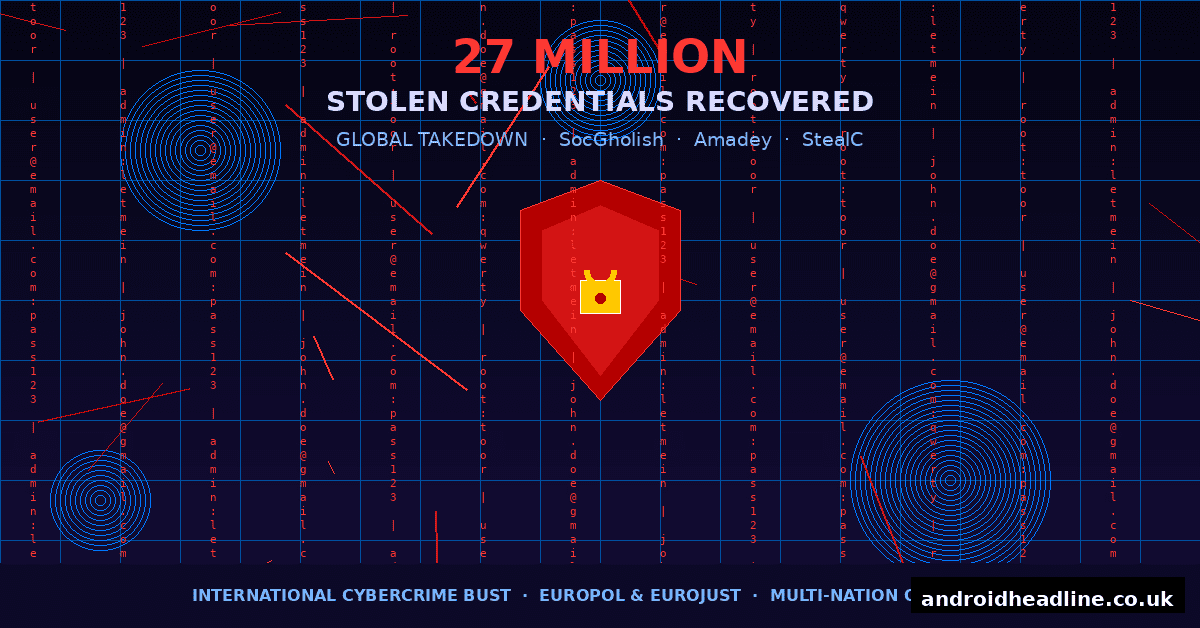
If you’ve ever used the same password across multiple websites — yeah, I’m guilty of that too — then this story is one you really need to read. Law enforcement agencies from across the globe just pulled off one of the biggest cybercrime busts in recent memory, recovering 27 million stolen login credentials tied to three dangerous malware families: SocGholish, Amadey, and StealC. That’s not a typo. Twenty-seven million. The kind of number that makes you want to go change every password you own — right now.
In this post, I’m going to break down exactly what happened, why these three malware networks were so dangerous, what this means for everyday internet users like you and me, and most importantly — what you should do to protect yourself.
What Exactly Went Down? The Global Takedown Explained
This wasn’t a one-country operation. Coordinated by Europol and Eurojust, with law enforcement agencies from the US, Germany, the Netherlands, France, and several other nations all working together, this takedown was a genuine international effort.
Authorities seized servers, arrested key suspects, and — crucially — recovered a massive database of stolen login credentials that cybercriminals had been quietly harvesting for months, possibly years. That database contained 27 million unique username and password combinations, scraped from real people’s devices without their knowledge.
Who Was Behind It?
Investigators traced the operation to organised cybercriminal groups operating out of Eastern Europe and Russia. These weren’t amateur hackers experimenting in their spare rooms. These were professional outfits running malware-as-a-service operations — basically renting out their tools to other criminals for a cut of the profits.
What Are SocGholish, Amadey, and StealC?
Let me break down each of these malware families in plain English, because understanding what they do is the first step to protecting yourself.
SocGholish — The Fake Browser Update Trap
SocGholish (also called FakeUpdates) is sneaky because it looks totally legit. It hides on compromised websites and pops up a realistic-looking browser update prompt. You click “Update Chrome,” and boom — you’ve just installed malware instead.
I’ve personally seen these fake update pop-ups on what looked like perfectly normal news sites. It’s a reminder that even familiar-looking pages can be compromised. Once installed, SocGholish acts as a dropper — meaning it downloads and installs even more malware on your device.
Amadey — The Persistent Loader
Amadey has been floating around the cybercrime underground since 2018, and it’s frustratingly durable. It’s a botnet loader, which means its main job is to stay on your machine quietly and then load whatever malicious tools the attacker wants to run — whether that’s ransomware, spyware, or a credential stealer.
What makes Amadey particularly nasty is how it digs in. It modifies system startup entries, so even if you restart your computer, it comes right back.
StealC — The Data Vacuum
StealC is exactly what it sounds like: a credential stealer. Once it’s on your machine, it systematically pulls passwords from your browsers, FTP clients, crypto wallets, email apps, and anywhere else login data might be stored. It then quietly sends all of that back to the attackers’ command-and-control servers.
This is where those 27 million credentials came from. StealC was the harvesting engine behind the operation.
Why This Is Bigger Than Most People Realise
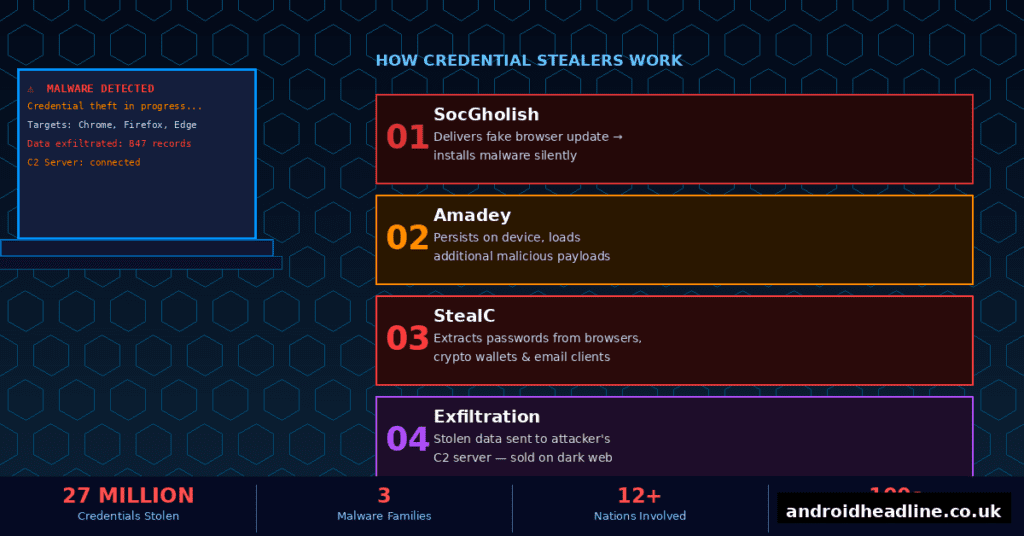
Here’s the thing that really got me thinking when I first read about this bust: 27 million credentials is almost certainly an undercount. That figure represents what authorities recovered. How much more data was already sold, traded, or used before the servers were seized? We’ll probably never know.
Stolen credentials are the fuel that powers a huge portion of modern cybercrime. With your login details, attackers can:
- Drain your bank accounts or PayPal
- Access your email and impersonate you
- Break into your work accounts (which can compromise your whole company)
- Sell your data on dark web marketplaces
- Use your accounts to launch further attacks on others
This is why credential theft isn’t just a “big company problem.” It affects regular people every single day.
What Should You Do Right Now? Practical Steps to Protect Yourself
Okay, enough doom and gloom — let’s talk about what you can actually do. Here’s what I’d recommend, and honestly what I’ve been doing myself since reading about this:
- Change your passwords immediately — especially for email, banking, and social media. Use a unique password for every account. I know, I know, it’s annoying. But it matters.
- Use a reputable password manager — tools like Bitwarden (free and open-source) or 1Password make using unique passwords actually manageable. I switched to one a couple of years ago and it genuinely changed everything.
- Enable two-factor authentication (2FA) everywhere — even if someone steals your password, 2FA means they still can’t get in without your phone or authenticator app.
- Check if you’ve been compromised — visit Have I Been Pwned and enter your email address. It’ll tell you if your data has appeared in known breaches.
- Stop clicking fake update prompts — your browser updates itself. If a website is telling you to download an update, that’s almost always a scam. Close the tab.
- Keep your operating system and software updated — real updates from your OS and apps patch the vulnerabilities that malware like Amadey exploits to get in.
- Run a reputable antivirus or endpoint protection tool — something like Malwarebytes, Bitdefender, or Windows Defender (yes, the built-in one is actually pretty decent now) can catch a lot of these threats.
What Happened to the Seized Data?
This is something I found genuinely reassuring. Authorities didn’t just confiscate the servers and call it a day. The recovered credentials are being cross-referenced with known breach databases and, where possible, being used to notify victims. Some national cybersecurity agencies — including those in Europe — have set up online portals where you can check if your email appeared in the seized data.
Keep an eye on announcements from your national cybersecurity authority. In the UK that’s the NCSC, in the US it’s CISA, and Europol’s website often links to victim notification resources for operations like this one.
The Bigger Picture: Why International Cooperation Matters
Operations like this one don’t just recover data — they send a message. When cybercriminal networks see this kind of coordinated, multi-nation response, it raises the risk and cost of running these operations. It’s not a silver bullet, but it’s genuinely important.
Europol’s European Cybercrime Centre (EC3) has been ramping up these kinds of operations steadily over the past few years, and it shows. The scale and sophistication of recent takedowns — including this one — reflects a law enforcement community that’s getting much better at going after digital organised crime.
Conclusion: Stay Alert, Stay Protected
The takedown of SocGholish, Amadey, and StealC — and the recovery of 27 million stolen login credentials — is a huge win. But it’s also a wake-up call. These networks existed, thrived, and harvested tens of millions of credentials before anyone stopped them.
The best defence is still a good offence: strong, unique passwords, two-factor authentication, and staying sceptical of anything that asks you to download or update something unexpectedly.
If this post helped you understand what happened and what to do about it, I’d love it if you shared it with a friend or family member who might not be as security-aware. And if you’ve got questions or your own experience with malware infections, drop them in the comments — I read every one.