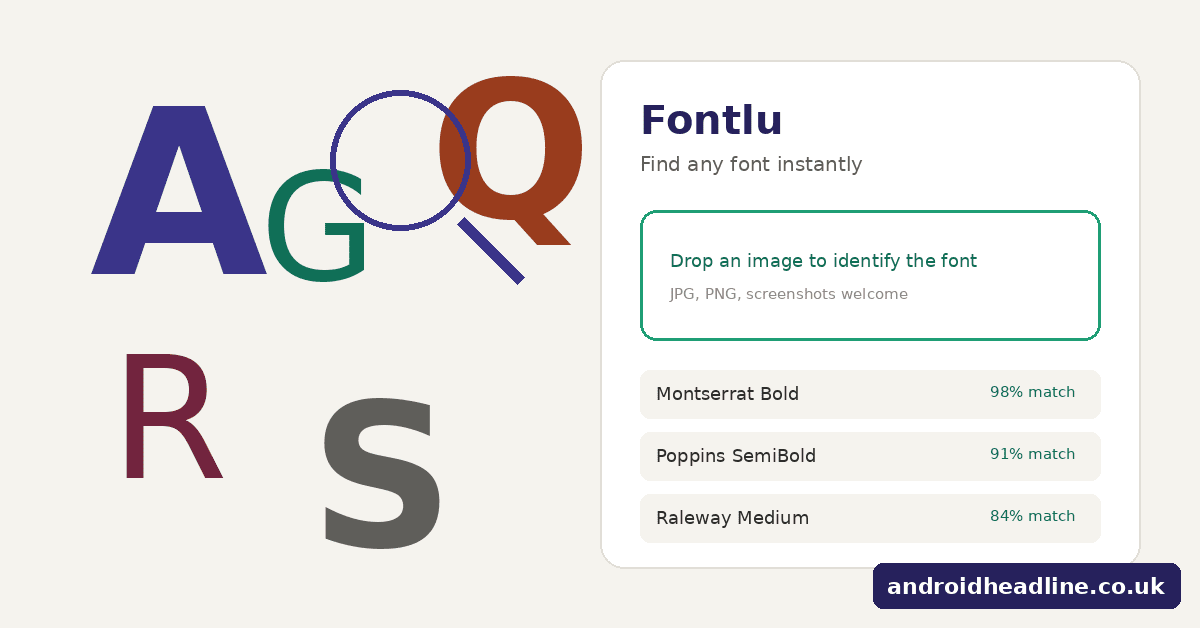
Every designer, blogger, or small-business owner has had this moment: you see a beautiful typeface on a billboard, a packaging label, or a competitor’s website, and you have absolutely no idea what it’s called. You try cropping the image, zooming in, maybe even Googling vague descriptions like “elegant serif font with thin strokes” — and an hour later, you’re still empty-handed. Fontlu was built specifically to solve this problem, and after spending real time with it, it’s easy to see why it’s becoming a go-to resource for anyone who works with typography.
What Exactly Is Fontlu?
Fontlu is a free, web-based platform that identifies, matches, and helps you explore fonts. Instead of digging through type catalogs or guessing based on memory, you simply feed it an image, a description, or a starting font name, and it does the legwork of narrowing down the possibilities. It’s aimed at graphic designers, web developers, marketers, students, and hobbyists alike — basically anyone who has ever needed to pin down a typeface quickly.
What separates Fontlu from a simple “font lookup” gadget is the breadth of what it offers beyond identification. It doesn’t just tell you a name and send you on your way; it helps you compare alternatives, see pairing suggestions, and preview the type with your own sample text before you commit to using it anywhere.
How the Tool Actually Works
Using Fontlu doesn’t require any technical know-how. The general process looks like this:
- You upload a photo or screenshot containing the text you want identified.
- The platform’s recognition engine scans the letterforms — stroke thickness, curves, spacing, serif style — and compares them against its font library.
- Within moments, you receive a ranked set of likely matches rather than a single rigid answer.
- From there, you can open any result to inspect it more closely, test it with custom wording, or set it side-by-side against other candidates.
- If you like a match, Fontlu points you toward where to actually get it, whether that’s a free source like Google Fonts, a paid marketplace such as Adobe Fonts, or a specific type foundry’s license.
No account creation is required to get useful output, which removes a lot of the friction that similar tools often add through sign-up walls.
Putting It to the Test
A fair way to judge any font-recognition tool is to throw something difficult at it rather than a perfectly clean sample. A photo of a hand-painted shop sign — slightly angled, slightly blurry — is about as tough a test as it gets, since hand lettering rarely maps perfectly onto any single digital typeface.
In that kind of scenario, Fontlu doesn’t pretend to give a flawless answer. Instead, it returns a short list of close stylistic matches, ranked by similarity. One of those alternatives can end up being usable in actual design work, which says a lot about how the underlying matching is tuned — it’s built to be practically useful, not just technically accurate to a single “correct” font.
The interface itself feels modern and uncluttered. There’s no aggressive upsell, no wall of ads interrupting the workflow, and results load quickly enough that the tool feels like part of your process rather than a detour from it.
The Features Worth Knowing About
Font identification from images is the headline feature, and it performs reasonably well even with imperfect photos — though a tightly cropped, well-lit image will always produce better results than a distant or shadowy one.
Font matching by name is useful when you already know a specific typeface but it’s locked behind an expensive license or unavailable for your use case. Fontlu can surface visually similar free or lower-cost substitutes, which is a real budget-saver for freelancers and small studios.
Style and mood-based browsing caters to the opposite scenario — when you don’t have a reference image at all, just a vague idea like “modern and minimal” or “warm and vintage.” You can filter by category, weight, width, and intended use (headline, body copy, logo work, packaging) until something clicks.
Pairing recommendations address one of the trickier parts of typography: knowing which body font complements a chosen headline font. Rather than relying on trial and error, Fontlu offers pre-vetted combinations with live previews so you can see the relationship before locking anything in.
How It Stacks Up Against Other Font Finders
Tools like WhatTheFont and Font Squirrel’s Matcherator have been around for years and remain functional for basic identification. Where Fontlu tends to pull ahead is in what happens after identification. Older tools often stop the moment they give you a name, leaving you to research pairings, alternatives, and sourcing on your own. Fontlu keeps that entire journey inside one interface, and its design feels noticeably more current than tools built a decade ago.
A Few Tips for Better Results
- Crop tightly so the letters fill most of the frame — distant or tiny text reduces accuracy.
- Capital letters tend to identify more reliably than lowercase, since their shapes are more distinct.
- If results look uncertain, try a second photo from a different angle or with better lighting.
- Don’t dismiss the second or third suggestion; the top match isn’t always the best stylistic fit for your specific project.
- Even without a font to identify, browsing the explorer section is a solid way to discover typefaces you wouldn’t stumble across through random searching.
Common Questions
Is it free? Yes — core identification, matching, and browsing features don’t require payment or an account.
How accurate is it? Very accurate for mainstream, commercially available fonts. For hand-lettered or highly customized type, it gives close approximations rather than exact matches, which is still far more useful than starting from zero.
Does it work on phones? Yes, the layout adapts well to smaller screens.
Final Verdict
For anyone who regularly works with type — or even just occasionally needs to know “what font is that?” — Fontlu earns a spot in the bookmarks bar. It compresses what used to be a frustrating, time-consuming guessing game into a process that takes seconds, and it doesn’t stop at identification; it actively helps you decide what to do next with the answer.